
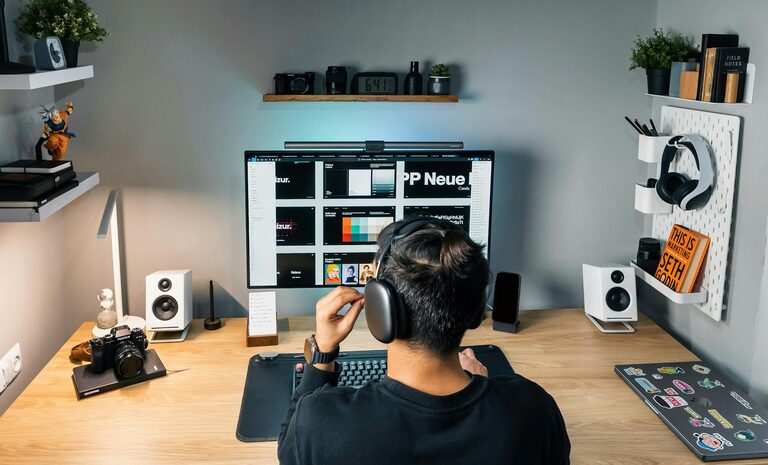
Creating a home office that feels both cozy and productive can significantly improve your work-from-home experience. A well-designed workspace helps you stay focused, motivated, and comfortable throughout the day. Whether you have a dedicated room or just a small corner, these tips will guide you in crafting an office space that suits your needs.
Choose the Right Location
Selecting the best spot for your home office is the first step.
– Natural light: Pick a place near a window if possible. Natural light reduces eye strain and improves mood.
– Quiet environment: Find a space with minimal noise distractions. If that’s not possible, noise-canceling headphones can help.
– Separation from living spaces: Try to separate your work area from high-traffic zones to maintain focus.
Invest in Comfortable Furniture
Your furniture should support long hours of work without causing discomfort.
Ergonomic Chair and Desk
– Look for chairs that offer good lumbar support and adjustable height.
– Choose a desk that fits your space and allows you to work comfortably, with enough room for your essentials.
Additional Seating Options
– Consider a small lounge chair or cushion for breaks to stretch out and relax.
Organize with Smart Storage Solutions
Clutter can be distracting, so keeping your space tidy is vital.
– Use shelves, filing cabinets, or storage boxes to keep documents and supplies organized.
– Desk organizers for stationery and gadgets help maintain a neat workspace.
– Label storage areas to make finding things easier.
Personalize Your Space
Adding personal touches can make your office feel welcoming and inspire creativity.
– Decorate with plants, which also improve air quality.
– Hang artwork or photos that motivate you.
– Choose colors that make you feel calm or energized—blues and greens create a relaxing vibe, while yellows and oranges boost energy.
Optimize Lighting
Good lighting reduces eye strain and creates a pleasant working atmosphere.
– Position your desk so natural light falls on your side, not directly in front or behind you, to avoid glare.
– Use adjustable desk lamps with warm or neutral white bulbs.
– Consider ambient lighting to soften the room’s overall appearance.
Manage Technology Effectively
Efficient tech setup reduces frustration and increases productivity.
– Ensure you have a reliable internet connection.
– Use cable organizers to keep cords neat and prevent tangling.
– Select peripherals like keyboards and mice that feel comfortable during extended use.
Incorporate Break and Movement Areas
Taking breaks and moving around supports concentration and well-being.
– If space allows, add an area for stretching or brief exercise.
– Use a timer or app to remind yourself to take regular breaks.
Maintain Good Air Quality
Fresh air keeps you alert and healthy.
– Open windows when possible to circulate air.
– Use air purifiers or humidifiers to maintain comfortable humidity levels.
Set Boundaries and Stay Consistent
Clear boundaries help balance work and personal life.
– Designate work hours to help you switch off at the end of the day.
– Keep your workspace dedicated to work activities to avoid distractions.
—
By applying these tips, you can create a home office that feels both inviting and productive. Remember, the best workspace reflects your preferences and supports your daily tasks. Start small and adjust your setup as you find what works best for you.